Free photogrammetry software — tools that reconstruct 3D models from overlapping images or video using structure-from-motion algorithms — is now capable enough for professional drone mapping, public safety documentation, and engineering surveys. Whether you are a drone operator looking to convert flight footage into a shareable 3D model, a surveyor validating stockpile volumes, or a developer evaluating open source pipelines, this guide ranks the best free photogrammetry software available in 2026 and explains exactly what each option can and cannot do for drone-based capture.
Key Takeaways
- SkyeBrowse Lite is the only free-tier option that accepts raw drone video (.MP4, .MOV) directly — no frame extraction or photo conversion required — and processes it in the cloud with no local GPU needed.
- Meshroom and COLMAP are the strongest open source photogrammetry tools for photo-based reconstruction, but both require an Nvidia CUDA GPU for practical performance on real-world datasets.
- OpenDroneMap is the leading open source solution for georeferenced aerial datasets, producing orthomosaics, digital elevation models (DEMs), and LAZ point clouds — the formats professional surveyors and GIS teams need.
- 3DF Zephyr Free caps inputs at 50 photos and is restricted to non-commercial use, but its guided wizard is the easiest desktop entry point for beginners learning SfM reconstruction.
- The American Society for Photogrammetry and Remote Sensing (ASPRS) defines accuracy standards that separate hobbyist outputs from survey-grade deliverables — a distinction that matters when models are used as legal, insurance, or engineering evidence.
- For DJI drone users, SkyeBrowse Lite also accepts .SRT telemetry logs for automatic georeferencing, skipping the ground control point (GCP) workflow required by most open source tools.
Contents
- What is free photogrammetry software and how does it work?
- Which free photogrammetry tools are worth using in 2026?
- How do the top free options compare side by side?
- What is the best free drone photogrammetry software workflow?
- When does a free tier become a limitation?
- How does SkyeBrowse fit into the free photogrammetry landscape?
- FAQ
What is free photogrammetry software and how does it work?
Photogrammetry software reconstructs 3D geometry by analyzing the parallax between overlapping images — a technique known as Structure from Motion (SfM). The software identifies matching keypoints across hundreds or thousands of image pairs, triangulates their positions in space, and outputs a dense point cloud that can be converted into a textured mesh or orthomosaic. Free photogrammetry software applies these same algorithms at no cost, either through open source licensing, a limited free tier, or a community edition with feature caps.
For a deeper explanation of how 3D reconstruction works and where it is applied, see the guide to photogrammetry covering the full SfM pipeline, GSD calculations, and real-world accuracy benchmarks.
According to the American Society for Photogrammetry and Remote Sensing (ASPRS), photogrammetric accuracy is governed by ground sample distance (GSD), overlap percentage, and sensor calibration — regardless of whether the software is free or paid. A $0 tool running well-collected imagery with 75% frontal and 60% side overlap can produce survey-quality results.
Free tools differ mainly in dataset size limits, GPU dependency, cloud vs. local processing, input format (photos vs. video), and export format support — the five constraints that determine whether a tool fits your drone workflow.
Which free photogrammetry tools are worth using in 2026?
Six tools stand out as genuinely capable free photogrammetry options in 2026: SkyeBrowse Lite, Meshroom, OpenDroneMap (via WebODM), COLMAP, Regard3D, and 3DF Zephyr Free. Each handles reconstruction differently — cloud vs. desktop, video vs. photos, georeferenced vs. model-only — so the best choice depends on your capture hardware, dataset size, and required output format.
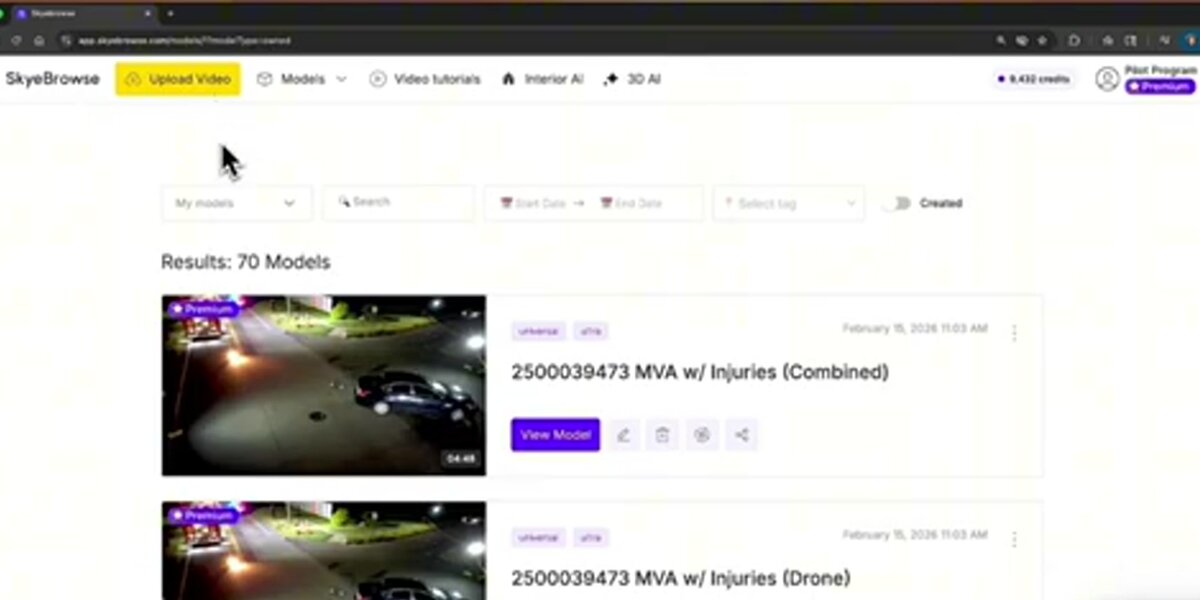
SkyeBrowse Lite is the free tier of SkyeBrowse's cloud-based videogrammetry platform. Unlike every other tool in this list, SkyeBrowse accepts drone video files (.MP4, .MOV) directly — no frame extraction or photo conversion required — and reconstructs 3D models in the browser at app.skyebrowse.com. No software installation or local GPU is needed. The Lite tier targets users who need a fast, shareable model; accuracy runs approximately 2 to 6 inches, which is adequate for scene documentation, real estate, and preliminary assessments. Because processing runs on cloud infrastructure, even users on a basic laptop or tablet can generate a model within minutes of landing a drone. It also doubles as one of the leading best photogrammetry apps for mobile-first professionals who need results in the field.
Meshroom, developed by the AliceVision consortium and available on GitHub, is a fully open source, node-based photogrammetry pipeline for Windows and Linux. It uses the AliceVision SfM engine and produces dense point clouds and textured meshes from photo sets. Meshroom is free for any use, including commercial, but it requires an Nvidia CUDA-capable GPU — without one, the pipeline stalls at the depth map estimation stage. It is best suited for controlled, ground-based scanning of objects, heritage sites, or structures. For a detailed head-to-head, see our SkyeBrowse vs Meshroom comparison.
OpenDroneMap (ODM) is an open source command-line engine with a browser-based GUI called WebODM. The ODM GitHub repository is MIT-licensed and handles georeferenced aerial datasets better than most free alternatives, outputting orthomosaics, digital elevation models (DEMs), LAZ point clouds, and textured 3D meshes. WebODM Lightning, the hosted version, adds a subscription fee; running ODM locally or on your own server remains free. This is the go-to choice for surveyors and GIS professionals who need georeferenced outputs from drone photo sets.
COLMAP is a research-grade general-purpose SfM and multi-view stereo (MVS) pipeline released under the BSD license. The COLMAP GitHub repository is widely cited in academic photogrammetry literature and supports both pinhole and fisheye camera models. It excels at unstructured photo sets — images taken from arbitrary angles, not just systematic aerial grids — making it valuable for forensic documentation, archaeology, and research. Like Meshroom, it benefits strongly from CUDA acceleration.
Regard3D is a free, open source SfM tool for Windows, macOS, and Linux. It lacks GPU acceleration but compensates with a lightweight interface and straightforward workflow suited to smaller datasets. Regard3D is a practical choice when GPU hardware is unavailable and dataset size is modest (under a few hundred photos).
3DF Zephyr Free is a limited community edition of the commercial 3DF Zephyr platform. The free version caps input at 50 photos, does not include orthomosaic export, and is restricted to non-commercial use. Within those constraints it offers the most polished guided-wizard experience of any free tool, making it popular for beginners and students.
How do the top free options compare side by side?
The table below summarizes the six tools across the dimensions that matter most for choosing a free photogrammetry solution: price, input type, output formats, GPU requirement, and ideal use case. The clearest divide is cloud versus desktop processing — SkyeBrowse Lite handles everything server-side, while every open source option depends on your local hardware.
| Software | Price | Input | Output Formats | GPU Required | Best For |
|---|---|---|---|---|---|
| SkyeBrowse Lite | Free (cloud) | Drone video (.MP4, .MOV) | GLB (3D mesh), GeoTIFF, LAZ | No — cloud processing | Scene documentation, public safety, fast turnaround |
| Meshroom | Free, open source | Photos | PLY, OBJ, ABC, SfM data | Yes — Nvidia CUDA | Object/building scanning, heritage, research |
| OpenDroneMap | Free, open source | Aerial photos | GeoTIFF (orthomosaic), LAZ, OBJ, DEM | Recommended | Georeferenced aerial mapping, GIS, surveying |
| COLMAP | Free, open source | Photos (any orientation) | PLY, NVM, TXT (sparse/dense) | Strongly recommended | Research, unstructured scenes, forensics |
| Regard3D | Free, open source | Photos | PLY, OBJ | No | Small datasets, no-GPU environments |
| 3DF Zephyr Free | Free (non-commercial) | Photos (50 max) | OBJ, PLY (limited) | Recommended | Beginners, students, small projects |
The most significant split in this table is cloud vs. desktop processing. SkyeBrowse Lite offloads computation entirely, while all other tools run locally (or require your own server for ODM). For professionals without access to a GPU workstation — patrol officers, insurance adjusters, construction site managers — cloud processing removes a meaningful barrier.
A second key distinction is input format. Every open source tool in this list requires still photographs. SkyeBrowse Lite is the only free-tier option that reconstructs from continuous video, which is how most drone operators naturally capture scenes. Converting video to frames manually before feeding into Meshroom or COLMAP is possible but adds friction and file management overhead.
What is the best free drone photogrammetry software workflow?
The best free drone photogrammetry workflow depends on whether you shoot video or photos. For video, SkyeBrowse Lite provides the shortest path: upload the .MP4 file and an optional telemetry log, and receive a shareable 3D model within minutes — no frame extraction, no GCP placement, no desktop software. For photo-based drone capture, OpenDroneMap reads GPS EXIF data directly from drone images and produces georeferenced orthomosaics and point clouds without additional ground control points on flat terrain.
For photo-shooting drones (DJI Mavic, Phantom, Air series shooting in photo mode), the recommended free workflow is:
- Fly a grid mission with at least 75% frontal overlap and 65% side overlap — the ASPRS minimum for mapping-grade output.
- Export images with GPS EXIF intact (most DJI camera modes preserve this automatically).
- Process in OpenDroneMap via the WebODM interface, or upload to SkyeBrowse Lite if your drone also captures video during the same flight.
- Export a GeoTIFF orthomosaic or LAZ point cloud depending on downstream use.
For video-shooting drones — or any operator who captures continuous footage rather than stills — SkyeBrowse Lite removes the friction of manual frame extraction. The platform accepts the raw .MP4 or .MOV file, pairs it with a .SRT telemetry log (generated automatically by DJI drones) for georeferencing, and handles all reconstruction processing on AWS servers. The result is a measurement-ready 3D mesh with shareable link, typically returned within 5 to 15 minutes.
This video-first approach makes SkyeBrowse Lite the most practical free drone photogrammetry software for operations where time on scene is limited — insurance inspections, public safety response, construction progress documentation. For a broader comparison of paid and free tiers across the drone mapping category, see the free drone mapping software roundup.
When does a free tier become a limitation?
Free photogrammetry tools become limiting when accuracy, dataset size, compliance, or turnaround time requirements exceed what the free tier can deliver. Photo caps (3DF Zephyr Free's 50-image limit), GPU dependency (Meshroom, COLMAP), and the absence of survey-grade georeferencing in some tools are the most common constraints practitioners encounter.
For public safety and legal applications, accuracy is the defining constraint. ASPRS standards require documented error metrics and calibrated workflows. SkyeBrowse Lite's 2-to-6-inch accuracy is sufficient for scene documentation and preliminary measurement, but the platform's Premium tier delivers sub-inch accuracy (approximately 0.25 inch at 8K) using the same upload workflow — allowing users to move from free to paid without changing tools.
For large-scale surveying, OpenDroneMap scales to thousands of images and supports ground control points (GCPs) for sub-5-centimeter accuracy. The limitation is infrastructure: large datasets locally can require 16 GB or more of RAM and hours of processing. WebODM Lightning's cloud option reintroduces a subscription cost.
For developers and researchers, COLMAP is the standard open source SfM baseline, but it lacks report generation, annotation, and sharing tools — it requires additional engineering to become a field-ready workflow.
How does SkyeBrowse fit into the free photogrammetry landscape?
SkyeBrowse occupies a distinct position among free photogrammetry tools: it is the only option built around video input and cloud processing, with a free tier that produces shareable, measurement-ready 3D models without requiring local software, GPU hardware, or photo management workflows. For drone operators who capture video rather than stills, it is the fastest path from raw footage to a usable model.
The Lite tier at app.skyebrowse.com accepts a drone video file, an optional telemetry log for georeferencing, and returns a 3D model within minutes. Models are hosted in the cloud and shareable by link — useful in collaborative settings where the team reviewing a scene is not the same team that flew the drone.
Unlike open source tools focused on 2D orthomosaics, SkyeBrowse's primary output is a textured 3D mesh (GLB), supplemented by a point cloud (LAZ) and orthomosaic (GeoTIFF) — the combination most downstream workflows require. When accuracy requirements grow, upgrading to SkyeBrowse Premium applies sub-inch processing (approximately 0.25 inch at 8K) to the same upload workflow, so teams do not need to retrain on a different tool as their use cases mature.
A broader overview of both free and paid reconstruction platforms — including Pix4D, DroneDeploy, and Agisoft Metashape — is available in the best photogrammetry software roundup. If your primary need is 2D mapping rather than 3D reconstruction, the free drone mapping software guide covers orthomosaic-focused tools in detail.

FAQ
What is the best free photogrammetry software for beginners?
SkyeBrowse Lite and 3DF Zephyr Free are the most beginner-accessible options. SkyeBrowse Lite requires only a drone video file and a browser — no installation, no command line, no GPU. 3DF Zephyr Free offers a guided wizard for Windows users working with up to 50 photos. Both produce shareable 3D models without configuration expertise.
Can I run photogrammetry software without a GPU?
Yes. SkyeBrowse Lite runs entirely in the cloud at app.skyebrowse.com, so no local GPU is needed. Regard3D also operates on CPU-only systems. Meshroom and COLMAP require an Nvidia CUDA GPU for any practical throughput; attempting to run them on CPU hardware with more than a few dozen images will result in processing times measured in hours or days.
What is the difference between photogrammetry software and drone mapping software?
Drone mapping software typically covers flight planning and 2D orthomosaic generation — the workflow of collecting and stitching aerial images into a georeferenced map. Photogrammetry software focuses on the 3D reconstruction step: converting overlapping images or video frames into point clouds and textured meshes using structure-from-motion algorithms. Many modern platforms, including SkyeBrowse, handle both in a single tool, while open source options like OpenDroneMap are strong at 2D aerial mapping and COLMAP or Meshroom specialize in 3D reconstruction.
Is open source photogrammetry software accurate enough for professional use?
It can be. OpenDroneMap with properly placed ground control points can achieve horizontal accuracy below 5 centimeters, which meets many surveying and engineering standards. COLMAP is used in published academic research and professional photogrammetry workflows. The accuracy ceiling for free tools is largely determined by capture quality — image overlap, GSD, and camera calibration — rather than the software itself. For legally sensitive applications such as accident reconstruction or insurance claims, a documented, validated platform like SkyeBrowse Premium provides the accuracy tier and audit trail that professional standards require.
What free photogrammetry software works best with DJI drones?
SkyeBrowse Lite is the most direct option for DJI drone operators: it accepts .MP4 video files natively and reads DJI's .SRT telemetry logs for automatic georeferencing — no ground control points or manual coordinate entry needed. OpenDroneMap is the best free option for DJI operators shooting in photo mode; it reads GPS EXIF data from DJI image exports automatically and produces georeferenced orthomosaics and point clouds. Meshroom and COLMAP can process DJI imagery but require exporting individual frames from video or shooting in a dedicated photo mission, adding a preparation step before reconstruction can begin.